
When you buy through links on our articles, Future and its syndication partners may earn a commission.

You only need to be in the same room as a Garmin wearable to know it has more features than you could ever use.
The options can be overwhelming, and even though I’ve been testing the best Garmin watches for years, I’m the first to admit that I’m not getting the most out of these tenacious timepieces when I’m on the trail.
Advertisement
Advertisement
Whether I’m trekking to Everest Base Camp with the Garmin Fenix 8 or going for an easy run out my front door with the Forerunner 570, I just upload a GPX file for navigation, choose my activity and bound off down the trail.
When I get to the end of an adventure, I know how far I’ve gone, how long it took me and what my heart got up to along the way. What else is there to know? Well, quite a bit, as I recently learned when I met up with Garmin’s product team for some wearable wisdom.

Credit: Love Trails Festival
I travelled to South Wales for Love Trails, a five-day trail running festival where reps from the GPS watch giant were dishing out all the best advice for optimising your Garmin.
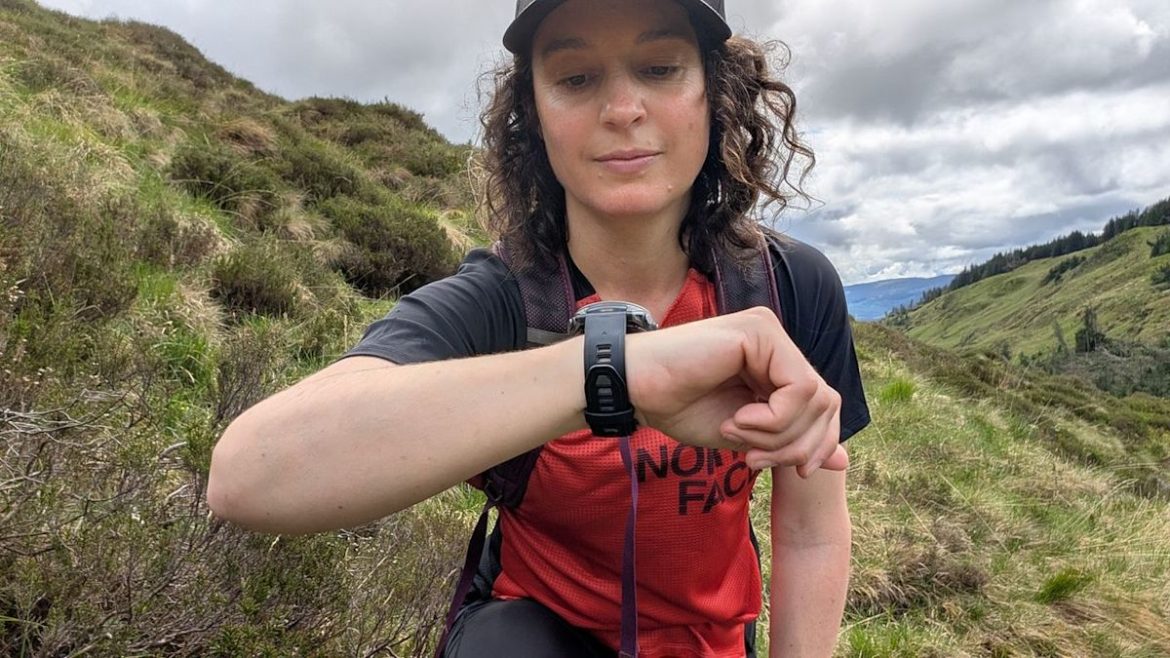
They strapped their flagship watch, the Fenix 8 Pro, on my wrist, gave me a tutorial on maximising its potential on the trails, then let me loose in the forests, causeways and beaches of the Gower Peninsula.
Advertisement
Advertisement
Over the next few days, I discovered features that help me get better fitness readings, navigate more precisely, and even take better care of my health on the trail. If your adventures take you off the beaten path, these are the Garmin functions I recommend you start using today.
Log your pack weight
Does your Garmin watch tell you that you’re losing fitness even when you’re hiking and trail running regularly and feeling great? That might be because it doesn’t know you’re carrying a heavy backpack, which could slow you down or raise your heart rate more than usual.
I typically carry anywhere from 2kg of water and supplies in my trail running vest to 10kg of overnight camping gear in my hiking backpack, and if I don’t let my watch know that, I’m essentially getting penalised with every weighted step I take.

Garmin’s Pack Weight feature debuted last year when the brand added the Rucking activity mode, but you can add your pack weight to Hike or Trail Running modes for more accurate metrics.
Advertisement
Advertisement
If you have a newer Garmin model with the Rucking or Weighted Activity feature (like the Fenix 8, Enduro 3, or Instinct 3), open your activity, scroll down to Settings, select Pack Weight, and enter your backpack’s weight before you set off.
The next time you start that same activity, it will save that pack weight, so make sure you update it as needed.
Set up hydration and nutrition reminders
I always carry water and snacks on the trail, but I’m terrible at remembering to fuel regularly. Instead of waiting until I’m lightheaded, the Garmin team helped me set up hydration and nutrition alerts, and I think they are super valuable whether you’re hiking for pleasure or trying to set a trail running PB.
If you need reminders to sip and snack when you’re on the go, open the activity profile on your Garmin watch and scroll down to Settings, then Alerts, where you can add a new Custom alert.

Here you’ll find built-in options like Eat and Drink where you can set activity-specific reminders based on time or distance to make sure you don’t run out of gas.
Advertisement
Advertisement
My watch now buzzes every 30 minutes on a hike to remind me to drink water, and suggests I eat every 5k. For trail running, I adjust these alerts based on my intended distance and the weather. That little reminder helps me take better care of myself and cuts down on bonking or dehydration headaches.
Plot your route like a pro
In November 2025, I hiked a 70-mile trail from the Scottish borders to Holy Island over four days, and with limited daylight, every day was a race against time. I preloaded the route’s GPX file to save time, but I could have been more savvy.
Take Course Points, for example. I mistakenly thought that this feature was only for planning aid station stops during races, but it can be useful for planning any adventure.
If your Garmin watch has maps, create or upload a route, then tap Edit and choose Add Course Point. Here you can add waymarkers such as public toilets, places where you can refill your water bottle, scenic viewpoints or towns where you want to take a break and refuel.

You can specify how long you want to stop in each place, then once you’re moving, your watch can take all the guesswork out of things
Advertisement
Advertisement
Just because you’ve plotted your route to a T doesn’t mean you have to stick to it like glue. Sometimes I find a trail that looks better on the ground than it did on my watch screen, and in those cases it’s helpful to enable rerouting so you don’t spend the next two hours with your watch telling you you’re off route.
Open an activity, scroll to Settings, then head to Routing. Under Courses, select Use Map so your watch automatically reroutes when you deviate, using popular paths and trying to keep your total distance as close as possible to your original plan.
Enable ClimbPro for hilly days
By nature, trail adventures involve lots of up and down, and when you don’t know how long you have left on a climb, it can be easy to go too hard at first and then run out of steam. I’d overlooked ClimbPro as a feature for cyclists, but it turns out it’s valuable for hikers and trail runners too.
This function alerts you to an upcoming climb and tells you the distance and percentage grade so you can prepare mentally or physically. Once you start ascending (or descending), you can see how long you have left by looking at the handy colour-coded profile.
Advertisement
Advertisement
This feature only works when you’re following a pre-planned route, but it’s worth enabling it in your watch’s Activities settings. Set it to When Navigating, and when you’re on a slope, you’ll know if you need to whip out your trekking poles, adjust your pace, and manage your effort to stay motivated.
Use Garmin Share when you’re out with friends
It can be lovely to meet a friend who’s planned an adventure and let them do all the planning and guiding, but for safety reasons, it’s a good idea for everyone to have the route available.
You can carry a map, of course, but if you’re both wearing a Garmin watch, sharing the route takes seconds and means you can pull it up if you get separated or your friend needs help.

With Garmin Share, you can send your course to anyone else wearing a Garmin watch. Press the Menu button, then scroll down to Garmin Share.
Advertisement
Advertisement
Here, you can either receive a file or select one to share with others. This clever tool is great for running and hiking clubs, and it lets me use other functions like ClimbPro and rerouting even when I’m following someone else.
And use LiveTrack when you’re solo
More often than not, I hit the trails solo, and I can be away for several days at a time. Until I got my Garmin InReach Mini 2, I relied on texting my loved ones each night when I arrived at my destination, but if things went wrong, that would have added hours between needing help and receiving it.
If investing in a satellite communications device isn’t right for you, most Garmin watches have a safety feature, LiveTrack, which you can activate in the Garmin Connect app on your mobile device or from your desktop.
This feature sends your (pre-selected) loved ones a unique link to track your real-time location, so in theory, someone always knows where you are. However, it relies on having your phone with you and it being in service, so it’s not a catch-all.
Advertisement
Advertisement
For those who really want to go off-grid, the Fenix 8 Pro is Garmin’s first watch with built-in satellite technology, and it might be worth the hefty investment for that feature alone.
