
We may receive a commission on purchases made from links.
Laptops are the unsung workhorses of modern society. You can use them to finish important business proposals while commuting, and gaming laptops let you take your games on the go. However, even the best laptops can only support so many USB gadgets — even fewer if you’re using a notebook. Unless you purchase a device like the Acer USB Hub.
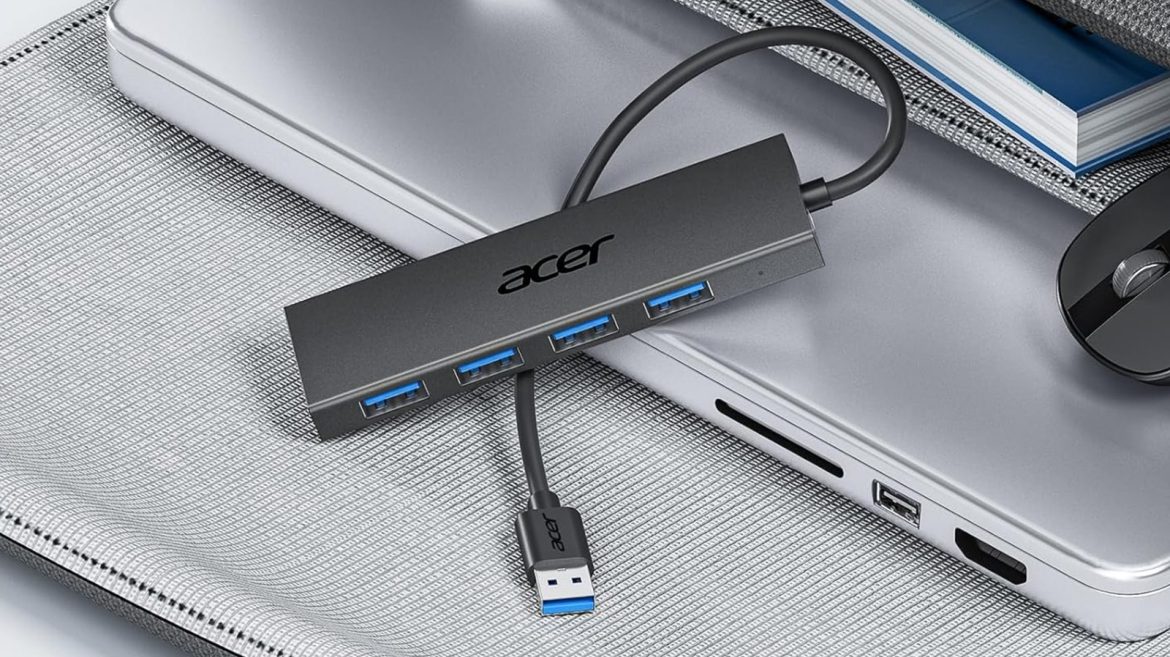
The Acer USB Hub lets you wire multiple USB devices through a single slot in your PC. This hub supports up to four gadgets, so you can plug in a keyboard, mouse, Bluetooth adapters, and even flash drives and hard drives, so long as their cables end in a USB Type-A port. And since the USB hub’s slots and central cord all utilize USB 3.0 technology, they support data transfers of up to 5 Gbps.
Normally, the Acer USB Hub retails for $15, but you can currently buy it for $10 through Amazon. Just make sure you’re purchasing the model with a 2-foot connection cable that ends in a USB Type-A port; the 0.7-foot version is priced at $15.99, whereas the hub with a 4-foot cable sells for $23.99. Acer also sells versions with a USB Type-C cable, which retail for $17.99, $15.99, and $21.99, respectively.
The Acer USB Hub is powerful, but it ain’t magic
When you get a USB hub, you feel the temptation to use it like your computer’s standard USB slots. After all, they’re universal ports that accept almost any device that uses a USB cable. However, USB hubs can only provide so much power use and bandwidth, and the Acer USB Hub is no different.
While the Acer USB Hub can accept most USB devices, if any require additional power, you need to plug the hub into an outlet. The device includes a 5v USB Type-C cable for just such an occasion. And before you ask, no, you cannot treat the Type-C slot as an additional USB port; this slot only functions as a power supply. Furthermore, even though the Acer USB Hub can support external hard drives, it can’t support multiple external hard drives. Even when plugged in, the hub can’t deliver enough power to both. If you need to plug multiple external hard drives into your laptop, use its built-in USB slots instead of a hub, or have the powered drives connected to an independent power outlet.
Not all of the Acer USB Hub’s limitations are a product of the device’s design; some are a result of USB technology. Earlier we mentioned that the hub can support data transfer of up to 5 Gbps. This is only true if the associated ports and cables all utilize USB 3.0 technology. If any use the less advanced USB 2.0 tech — especially the port that connects to the hub’s central cable — transfer rates will drop to a measly 480 Mbps. Depending on your laptop’s USB slot layout, you might need to reorganize some cables, but the resulting increase in data transfer speed will be worth it.
