
We may receive a commission on purchases made from links.
Getting a gaming console like the Xbox Series X or digital-only Xbox Series S is only the start. Unpacking your new console is exciting, but you’ll also want to make sure you complement your setup with some of the coolest and most useful gadgets that you can buy. Sure, there are some great games and must-have Xbox apps that make the console great, but what’s the point of having the best Xbox games if you can’t take full advantage of them?
Thankfully, there are more than a few useful gadgets to choose from, which is why we wanted to highlight some of our favorites and point you toward solid picks in those categories. Not only can adding these gadgets to your setup help make it more useful, but it can also improve how you use your Xbox, making it easier to access the features and perks that you care about.
Charging stations to keep your controllers powered up
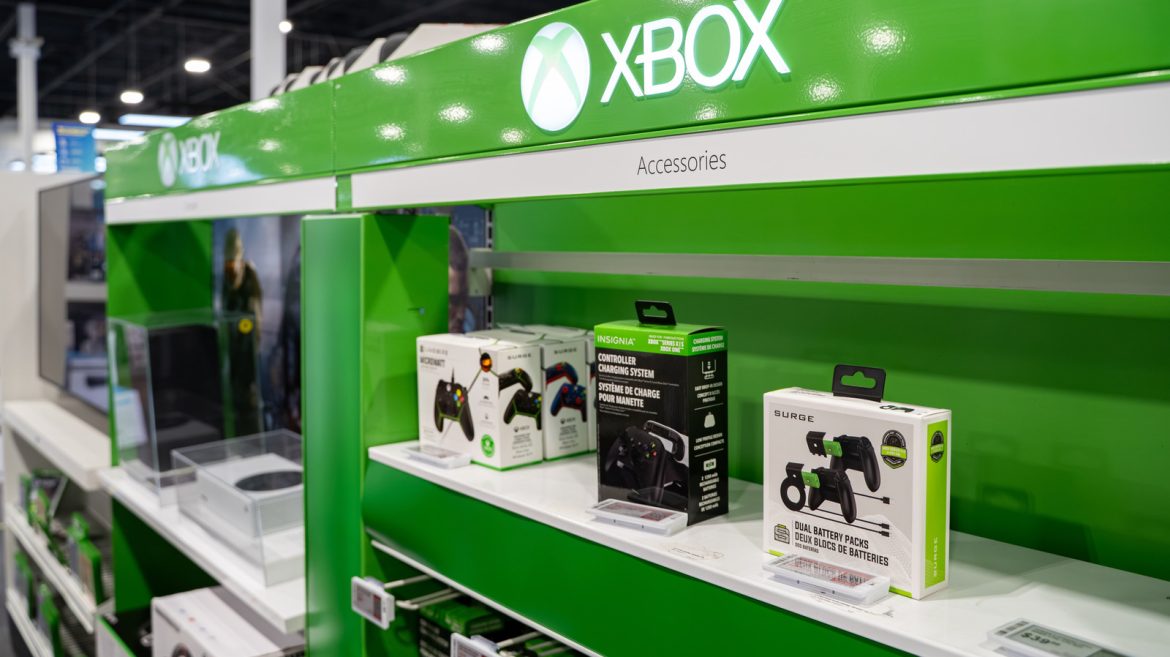
The first gadget on our list is a bit of a no-brainer. By default, the Xbox’s gaming controllers don’t actually come with rechargeable batteries. Instead, you just plug it into the console with a cable, or, if you want to go wireless, you pop in some AA batteries and start playing. But you don’t have to settle for replacing batteries every few months. Instead, you can pick up a handy charging station and rechargeable battery packs.
The NinABXY Upgraded Controller Charger Station is a solid option, too, as it comes with two battery packs and supports charging two controllers simultaneously. The charging packs sport a max capacity of 6200 mWh, which the company claims should give you between 18 and 25 hours of play time between charges. What’s even cooler is that this charging station setup supports the original Xbox controls for the Xbox One, Xbox Series X, and Xbox One Elite controllers, and has over 5,000 reviews on Amazon.
Reviewers say the charger works well, feels durable, and charges fast. One review does note that the USB-C cable that comes with the station is a little short, so you may want to upgrade to a longer one depending on your setup.
Upgraded wireless controllers give you more options
While we’re talking about controllers, let’s talk about the different options out there. The base controller that comes with the Xbox is perfectly fine for most people, but some gamers want a bit more adaptability with how their controller works. That’s where the Xbox Elite Series 2 Core Wireless Gaming Controller comes in. While it is a tad expensive — running $149.99 normally, though you can often find it on sale — the controller gives you unprecedented customization for button mapping, as well as adjustable tension in the thumbsticks.
The Elite Series 2 controller includes a 40-hour rechargeable battery already built into the controller. All you need to do is plug it into your console to top it off. With over 46,000 reviews on Amazon and an average rating of 4.3 stars, the Xbox Elite Series 2 Core has garnered quite a bit of love from the gaming community thanks to its support for Xbox console gaming, as well as PC gaming, too. You can also invest in additional add-ons, like paddles and interchangeable d-pad setups, to help provide even more customization options for how you use your controller. There are rumors that Xbox might release a brand-new controller this year, too, so that’s something to keep an eye out for.
A proper headset will help you immerse yourself in games
A good headset is one of the best ways to enhance the immersion of your gaming time on any console. Whether you want a wired or wireless headset is completely up to personal preference. There are some solid wireless options out there, from Microsoft’s Xbox Wireless Gaming Headset, typically $119.99 without a deal, to more expensive options like the Audeze Maxwell 2 Wireless Gaming Headset, which runs for upwards of $350. There are also other affordable options out there, like the Turtle Beach Stealth 500, which typically runs for $89.86.
If you find that wireless headsets aren’t really to your speed but still want great audio quality, it might even be worth checking out some of the headsets that audiophiles recommend for gaming. It’s worth noting that if you want to go with a highly recommended headset, you’ll end up spending anywhere from $80 to $400 or more, depending on what kind of headset you choose. As with most big-ticket purchases, you’ll want to decide what you want most from your headset, then choose from the available options based on that.
A media remote makes navigating streaming services easy
Depending on how you have your home entertainment area set up, you might plan to use your Xbox console as both a gaming station and a media center. If you’re doing the latter, you can use your regular controller to navigate your apps, but you should consider investing in a media remote control for your Xbox to make navigation easier.
While you can use your smartphone as a remote for the Xbox, a dedicated remote control can be useful, especially for family members who aren’t familiar with a typical Xbox controller. Unfortunately, Microsoft doesn’t offer a first-party option for the Xbox Series X|S, but you can find a few options for media remotes. One that appears highly recommended on Amazon is the Tyadas Media Remote Control for Xbox. This remote usually costs $19.99 and has over 1,500 reviews, averaging 4.2 stars. It’s a relatively simple design, which should make it easy to use for anybody.
One reviewer says that the Tyadas remote is so easy to use that his wife, who couldn’t really come to terms with the standard Xbox controller, was able to pick it up and start using it immediately. Other reviews note that the remote is “good bang for your buck,” offering everything you need without drawing much power and minimal setup to get it working. 8BitDo is another company that offers a highly rated Xbox media control, too, so you definitely have options.
