
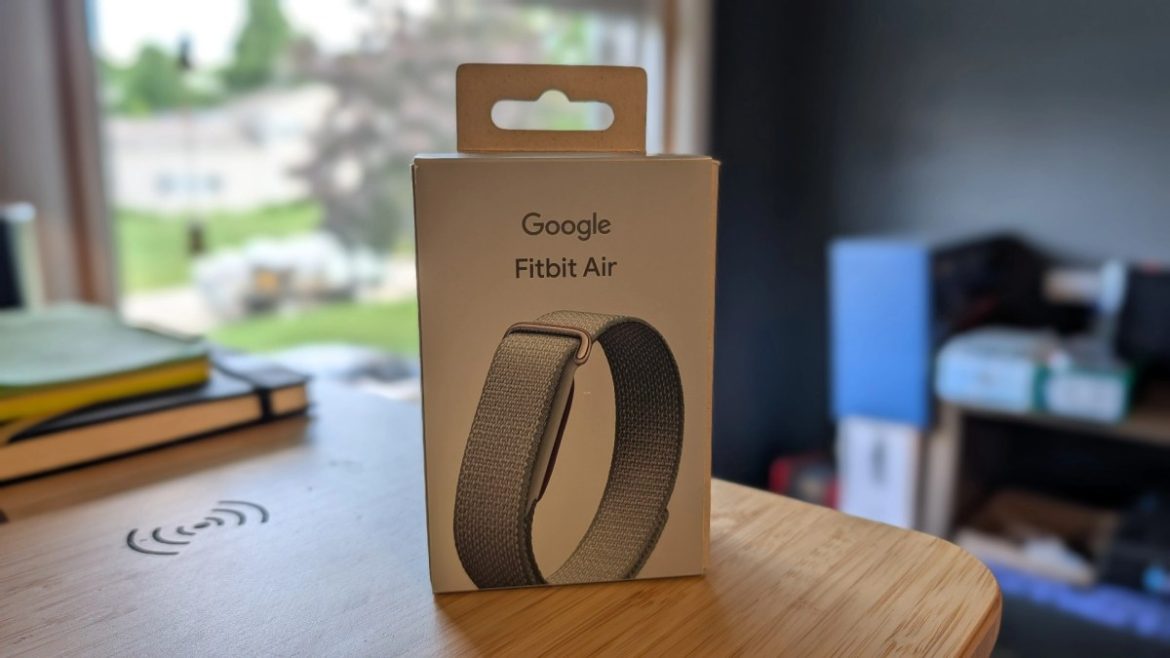
For years, a lot fitness wearables seem to be following the same formula of bigger displays, brighter screens, potentially more notifications, and an ever-growing list of apps. The Fitbit Air heads in the opposite direction.
Priced at $99, Google’s newest wearable removes the display entirely, relying instead on continuous health tracking and the redesigned Google Health app to deliver insights. It’s an obvious answer to products like Whoop, but without the mandatory subscription that has kept many people from trying screenless wearables in the first place.
After spending time with the Fitbit Air, it’s pretty obvious that it isn’t trying to replace a smartwatch. Instead, it’s designed for people who want better health tracking, longer battery life, and fewer distractions. In many ways, it’s closer to wearing a health sensor than a piece of consumer electronics.
Design & Comfort

The Fitbit Air is remarkably small. At just 5.2 grams for the sensor itself, it’s one of the lightest wearables available today. And after wearing it with various straps over the last few weeks I have found it pays dividends every hour it’s on my wrist.
The tracker consists of a removable “pebble” that snaps into interchangeable bands. Google offers several styles ranging from silicone Active Bands to woven Performance Loop options, with the sensor popping in and out easily whenever you want a different look.
The Fitbit Air proves that the smartest wearable isn’t always the one with the biggest screen.
Comfort is easily the Fitbit Air’s biggest strength. Unlike many smartwatches that constantly remind you they’re strapped to your wrist, the Air quickly disappears. That’s particularly important because Google’s entire pitch revolves around wearing it twenty-four hours a day, including while sleeping.
The lack of a display initially feels strange. There’s no time, no notifications, no workout screens, and no temptation to constantly glance at your wrist. Well, that last part takes a little bit of time to get used to if I am being honest. Interaction is limited to a vibration motor, a tiny status LED, and a double tap gesture for simple functions like checking battery status or dismissing alarms.

That lack of covnentional wearable feature turns out to be surprisingly liberating.
Setup & Google Health
Setup is refreshingly straightforward. Pair the tracker through the new Google Health app, grant the necessary permissions, and you’re essentially done. Android users benefit from Fast Pair, while iPhone support is available for those outside Google’s ecosystem.
Because the Air has no screen, the app becomes the entire experience.
Google has retired much of the traditional Fitbit interface in favor of Google Health, organizing everything around a customizable dashboard with readiness scores, sleep, cardio load, heart rate, and AI-generated summaries. The redesign feels cleaner than previous Fitbit apps, although it’s still evolving. Important metrics occasionally require more taps than they should, and some sections prioritize AI commentary over raw data.
Early reviewers, myself included, encountered various software quirks in the app ranging from workout logging inconsistencies to occasional AI hallucinations and GPS bugs. To its credit, Google has been rather transparent about fixes and has already addressed several issues through updates.

The hardware feels finished. The software feels like it’s improving in real time.
Features & Health Tracking
Fitbit has packed an impressive amount of technology into such a tiny package.
The Air continuously tracks heart rate, sleep, blood oxygen, heart rate variability, skin temperature trends, activity, cardio load, readiness scores, and passive AFib monitoring. It also supports Smart Wake alarms that attempt to wake you during lighter sleep stages using gentle wrist vibrations.
Sleep tracking is arguably the device’s strongest use case.
Because the Air is so light and lasts roughly a week between charges, it’s much easier to wear overnight than most smartwatches. That consistent overnight data allows Google Health to build more meaningful trends around recovery, resting heart rate, HRV, and sleep quality. Multiple reviewers noted that sleep detection was accurate enough to identify brief overnight awakenings and naps while remaining comfortable enough to forget it was being worn.
For general wellness tracking, it’s difficult to find much to criticize.
AI Coach
The Gemini-powered AI Coach is what separates Fitbit Air from previous Fitbit products.

Instead of simply presenting charts and graphs, Google attempts to explain them. The AI summarizes workouts, sleep, recovery, readiness, and trends while also accepting natural language commands. Users can log meals by taking a photo of nutrition labels, ask questions about workouts, upload exercise images for form suggestions, or request personalized recovery advice.
When it works, it genuinely reduces friction.
Logging yesterday’s breakfast, adding a forgotten workout, or asking why today’s readiness score dropped feels far more natural than navigating menus.
That said, the AI still behaves like…AI.
I was curious to see if it was just my algorithm, my settings, or something else I did, but things just feel off from time to time. Looking around, I noticed several reviewers experienced similar scenarios, including odd summaries, repetitive suggestions, occasional hallucinations, and moments where the assistant latched onto random topics long after they were relevant.
When I first set up my account with the new app experience I shared a few details and goal, and listed a couple of things I do throughout my day. Now, it feels like every time the app has an update or recap for me, it tries to touch on all of those factors. If I am being honest, that gets a bit tiring.

Google appears to be iterating quickly, but anyone expecting flawless coaching will occasionally run into awkward recommendations or confusing responses. Fortunately, the AI is optional. Users can ignore most of it and still enjoy the underlying health tracking.
Performance & Fitness Tracking
The Fitbit Air performs best as a passive health tracker rather than a dedicated sports watch.
Automatic workout detection works well for common activities like walking and running, and cardio load provides a useful picture of overall exertion throughout the day. Google’s Readiness score also becomes increasingly accurate after several weeks of continuous wear.
Where things become less impressive is during active workouts.
Without a display, there are no live pace metrics, heart rate zones, or distance information available on your wrist. Outdoor GPS relies entirely on your connected smartphone, and several reviewers documented occasional GPS inconsistencies or missing route data. Automatic activity detection also trails competitors like Whoop in recognizing specialized workouts.

Heart rate accuracy is generally good during steady exercise, though more variable during high-intensity intervals and rapid heart rate changes. For everyday fitness and recovery tracking it’s more than sufficient, but endurance athletes who depend on precise training metrics may still prefer a dedicated sports watch or chest strap.
Battery Life
Google advertises up to seven days of battery life, and real-world testing largely backs that up.I charge mine maybe once every five days just to be safe.
Even more impressive is charging speed. Just five minutes on the magnetic charger provides roughly a day’s worth of use, while a full charge takes around ninety minutes. That combination makes continuous wear realistic. A quick charge while showering or getting ready in the morning is often enough to avoid lengthy downtime.
Value
At $99, the Fitbit Air significantly lowers the barrier to entry for screenless health tracking.

Unlike Whoop, nearly all of the core tracking features remain available without an ongoing subscription. Google Health Premium unlocks AI coaching, additional insights, workout plans, and deeper analysis for $9.99 per month, but the tracker remains genuinely useful without paying another monthly fee. Existing Google AI Pro and Ultra subscribers also receive Premium as part of those plans.
For anyone curious about recovery-focused wearables but unwilling to commit to expensive hardware or recurring subscription costs, Fitbit Air is one of the most approachable options currently available.
The Bottom Line

Awarded to products with an average rating of 3.75 stars or higher, the AndroidGuys Smart Pick recognizes a balance of quality, performance, and value.
Products with this distinction deserve to be on your short list of purchase candidates.
The Fitbit Air isn’t trying to replace your smartwatch. If anything, I feel like it’s trying to make you question whether you need one all the time.
Google has built a wearable that’s comfortable enough to disappear, affordable enough to be widely accessible, and capable enough to deliver meaningful health insights without demanding constant attention. The Google Health app still needs refinement, and serious athletes will eventually bump into the limitations of a screenless design, but the foundation is exceptionally strong.
For people who care more about sleep, recovery, and long-term health trends than reading text messages from their wrist, the Fitbit Air offers one of the most compelling alternatives in wearable technology today.
The Review
Fitbit Air
PROS
- Extremely comfortable for 24/7 wear
- Excellent sleep and recovery tracking
- No subscription required for core features
- Week-long battery life with fast charging
- Clean, distraction-free experience
CONS
- No display for live workout metrics
- Google Health app still needs refinement
- AI Coach can be inconsistent
- GPS depends on a connected smartphone
Review Breakdown
- Design
- Features
- Setup
- Performance
- Battery
- Warranty
- Software
